
Identity
Enable SAML SSO, require it for staff, and provision or deactivate accounts with SCIM.
Agents & integrations
Connect ChatGPT, Claude, or CX’s assistant to your catalog. Review orders, configure repeatable work, and develop opportunities using the same catalog information and permissions.
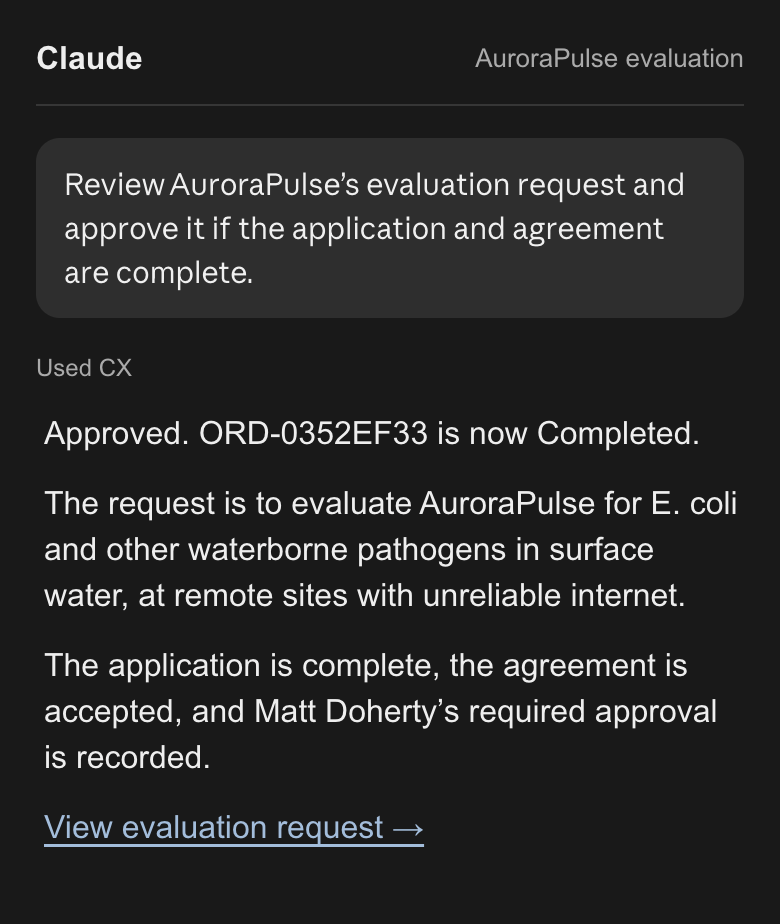
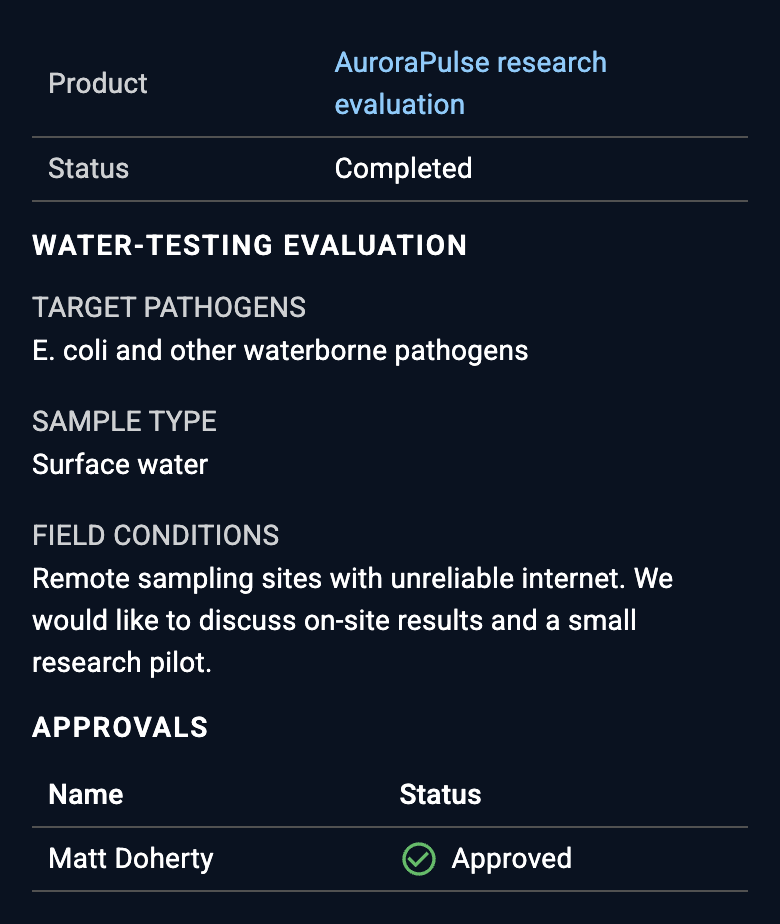
In this example, we create a daily automation by prompting ChatGPT:
Turn technical specifications into draft marketing briefs, summaries, and searchable classifications. Make it a daily automation.
The resulting marketing content and classifications are saved to the catalog, ready for search, analysis, and further automation.
Explore the marketing brief and saved fields →
Inspect the transformation →
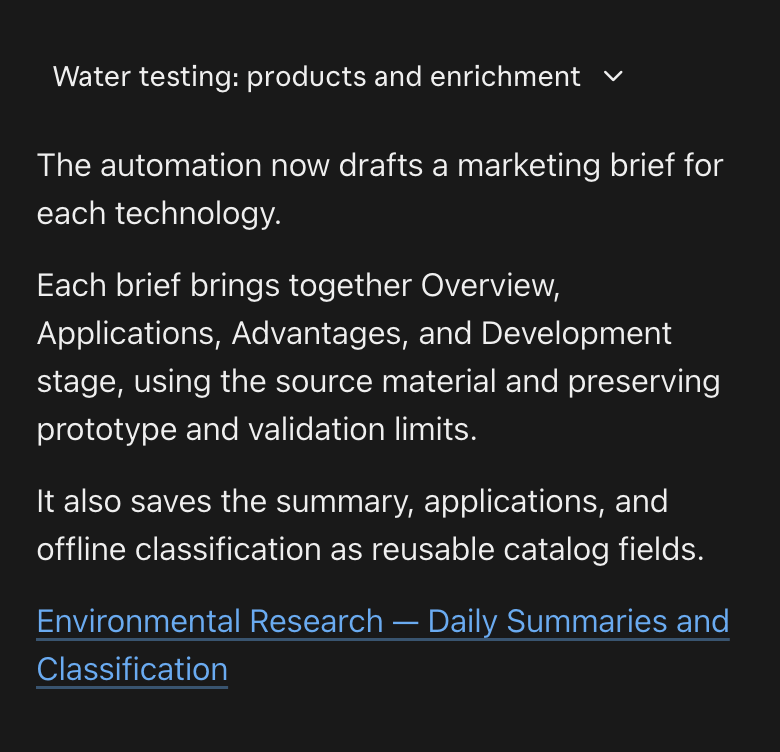
Match a partner’s requirements to specific products. Bring the evidence into a concise brief and an informed introduction.

In this example, we create a new product by prompting Claude:
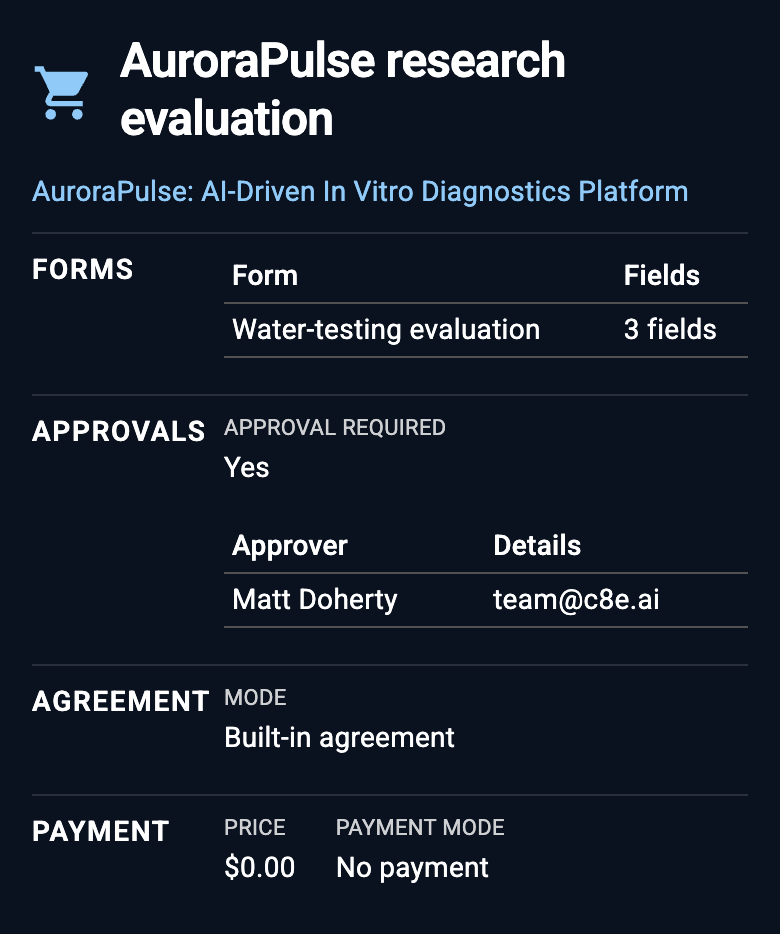
“Create an AuroraPulse evaluation product with an application, agreement, and manager approval.”
Specify the information and review steps your team needs to advance an evaluation, using the catalog’s existing permissions.
Enable SAML SSO, require it for staff, and provision or deactivate accounts with SCIM.
Built-in and custom roles govern access, including the actions available to assistants.
Review record history and export security events for sign-ins, configuration, and access changes.
The Model Context Protocol (MCP) and APIs connect the same records and operations to other tools. Imports and exports connect existing systems. Why we build this way →
Bring your questions.
Explore a real question with the assistant, examine the evidence, and follow it into a workflow.